RAM
Products · RAM
1 active deal
RAM: choose enough capacity without creating compatibility problems
RAM keeps the data your applications are working with readily available; it does not replace permanent storage. Adding more helps when current capacity runs out, but faster memory cannot fix every slowdown. Decide how much you need first, then establish which modules your computer can actually use.
Observe your workload before buying capacity
Check memory usage during a genuine work session with your usual applications and documents open. Occasional peaks are different from a persistent shortage. If the system relies heavily on virtual memory and becomes less responsive, an upgrade may be worthwhile. For editing or large projects, check software requirements and the size of your work. Buying capacity that stays empty does not guarantee extra speed; leave headroom for specific tasks you realistically expect to undertake.
Identify the generation, shape and module type
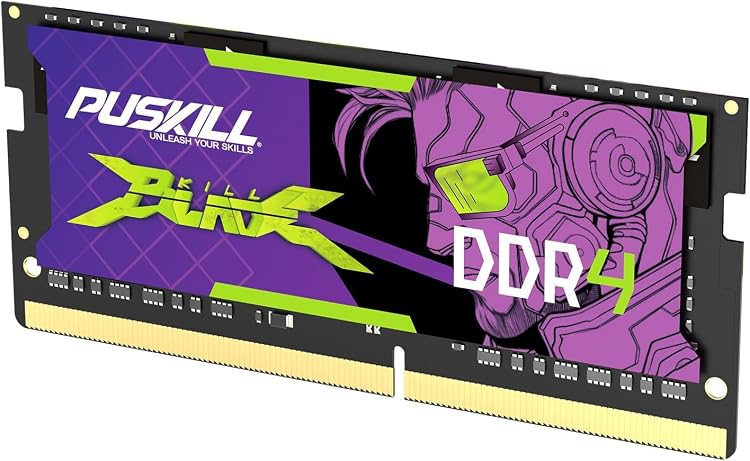
Consult the computer or motherboard manual: different DDR generations are not interchangeable. DIMM and SO-DIMM modules have different shapes, while some computers use soldered memory that cannot be replaced. Check maximum total capacity, the per-slot limit, and support for registered or ECC modules. Error correction inside certain memory chips is not equivalent to full system-level ECC support. An ambiguous product description is not enough to establish compatibility with your particular computer before you order.
Consider all the modules as a set
A kit contains modules sold to work together, although operation still depends on the motherboard and memory controller. Follow the manufacturer's slot arrangement for available memory channels. Adding a module with the same capacity and advertised speed does not guarantee identical chips or settings. Filling every slot can restrict the usable frequency. If retaining existing memory, compare exact references and mixing support; replacing the set can be more predictable than combining modules with different specifications.
Separate advertised speed from stable operation
Assess transfer rate and access timings together within the same platform. Some advertised settings require a compatible profile to be enabled and are not guaranteed with every processor or motherboard. Check heat-spreader height for physical interference too. After upgrading, confirm that all capacity is detected and run a local memory check. If errors appear, prioritise supported settings and technical assistance rather than chasing a higher frequency at the expense of reliable operation during everyday work.