Keyboard & Mouse Sets
Products · Keyboard & Mouse Sets
1 active deal
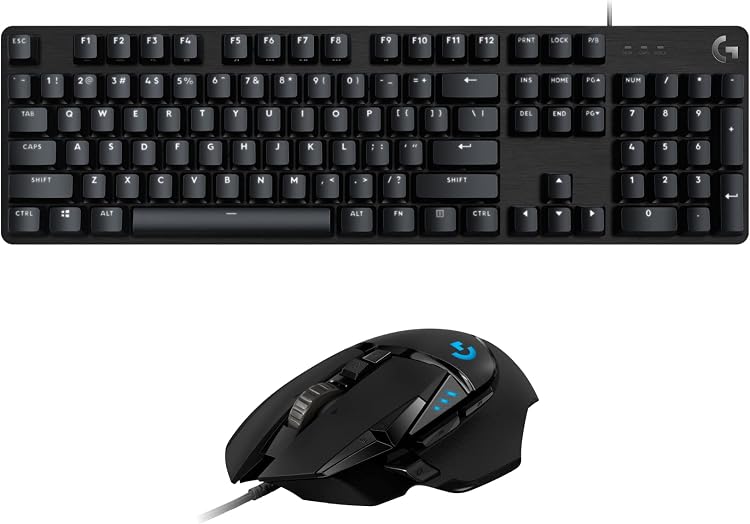
Keyboard and mouse sets: judge both parts of the bundle
A set equips a workstation in one purchase and, with some models, one receiver. That convenience pays off only when both keyboard and mouse suit the user. Coordinated styling cannot correct an uncomfortable mouse or the wrong physical key layout.
The less suitable component decides the outcome
Start with the main task. For numerical entry, check for a number pad; for navigating documents, consider the mouse wheel and buttons. Verify the keyboard's physical language layout and special-key compatibility with the operating system.
Then assess both dimensions: keyboard size on the desk and mouse shape in the hand. A right-handed mouse is not equivalent for a left-handed person. If one component fails an essential requirement, compare the set with buying separately rather than assuming a bundle is better.
A shared receiver needs clear compatibility rules
Check whether the set is wired, Bluetooth or wireless with a USB receiver. A shared receiver saves a port but does not mean that any keyboard or mouse from the brand can be paired. Compatibility depends on the family and connection system.
Find out what happens if the receiver is lost or one device fails. Some systems permit buying and pairing a replacement; others do not. For switching among computers, confirm that both components offer the required switching, not just the keyboard.
Check battery life and responsiveness separately
Keyboard and mouse may use different batteries and need replenishment at different times. Check included batteries, cables and chargers. Advertised life depends on usage and features such as lighting, so the figures cannot be combined as though they describe one appliance.
At an intermittently used desk, waking from sleep and connection stability matter. For advanced functions, check which work directly and which require software installation on the destination computer.
Calculate the cost of keeping the set useful
A bundle price can lose its appeal if both components must be replaced when only one stops being useful. Review warranties, replacements and the ability to use each device independently before counting the saving.
For shared workstations, consider accessible cleaning and buttons people can understand without personal profiles. Check where the receiver can be stored during transport too. The final choice should keep both components useful, rather than pay for a second item that will remain in a drawer.