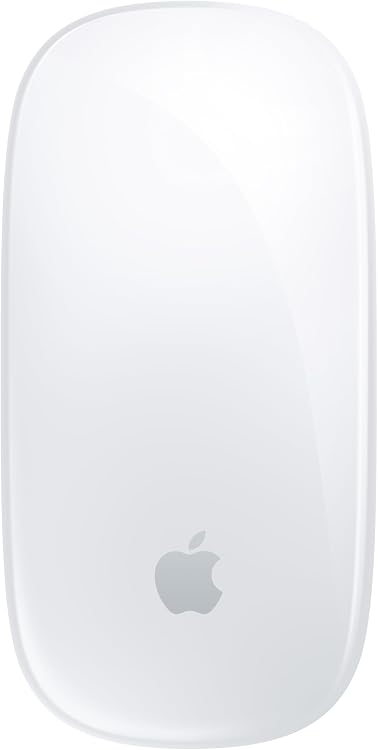
 1 / 5
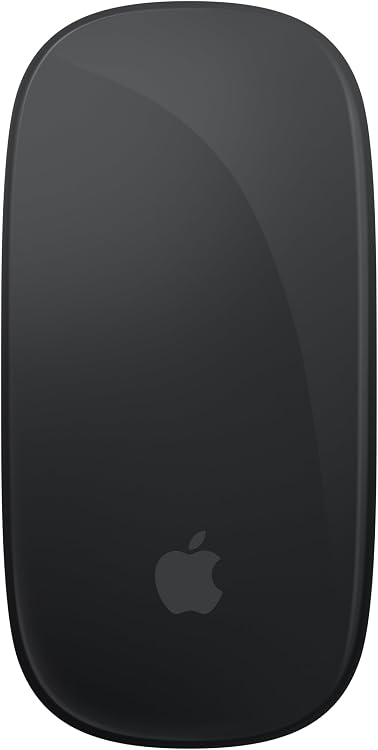
Apple Magic Mouse (MXK53AM/A) – White Multi-Touch
MXK53AM White: Apple Magic Mouse pairs wireless Bluetooth connectivity with a Multi-Touch surface for gestures such as swiping between web pages and scrolling through documents. Its rechargeable battery is claimed to last about a month or more between charges, the underside charging-port placement and mixed reports about scrolling are worth considering.
At a glance
- Multi-Touch gestures support swiping between web pages and scrolling through documents.
- Rechargeable battery is claimed to last about a month or more between charges.
- Listing says it pairs automatically with a Mac and includes a woven USB-C Charge Cable.
Reference price: $79.00
Price checked: Nov 11, 2026
View offerAhead of Black FridayExplore the selectionPros and cons
Pros
- Gesture-based navigation and touch scrolling can replace separate scroll controls for supported interactions.
- Rechargeable operation avoids routine disposable-battery replacement.
Cons
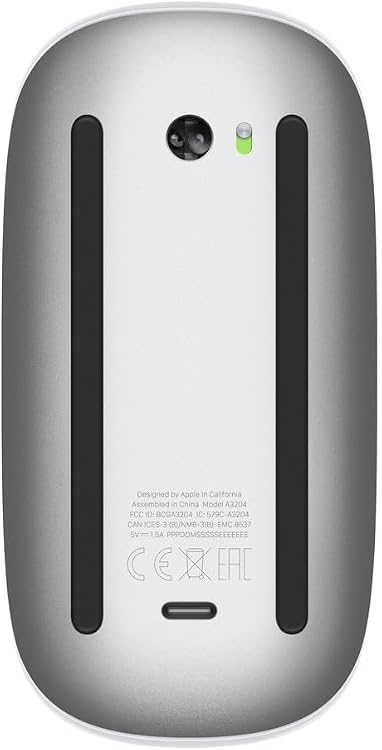
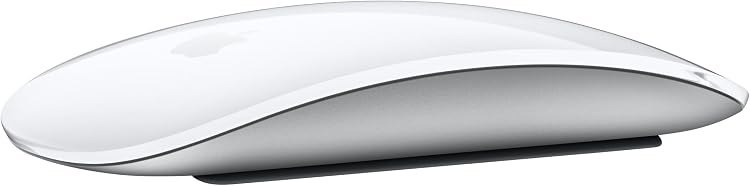
- The charging port is on the underside, so the mouse cannot be used while a cable is connected.
Technical specifications
9 specifications| Brand | Apple |
|---|---|
| Model | MXK53AM/A |
| Color | White |
| Wireless connection listed | Bluetooth |
|---|---|
| Movement detection technology | Optical |
| Special features | Lightweight, Portable, Rechargeable, Touch Scroll, Wireless |
| Dimensions listed | 5.12 x 2.91 x 1.42 inches |
|---|---|
| Weight listed | 8 ounces |
| Battery | 1 Lithium Ion batteries required. (included) |
|---|
What to know before buying
- Battery life of about a month or more is a manufacturer claim, not a measured guarantee, customer feedback is mixed on battery life and scrolling, and some report connectivity trouble with MacBook Pro 2021. Confirm compatibility with the intended Mac before buying.
Who is it for?
A good fit for
- Mac users seeking a Bluetooth mouse with touch gestures for swiping and document navigation.
- Buyers who prefer a rechargeable wireless mouse and are comfortable charging it when not in use.
Less suited to
- Anyone who needs to use a mouse while it is charging.
- Buyers who prefer a conventional scroll wheel or want consistently positive feedback about scrolling and compatibility.
Customer reviews on Amazon
- 5 stars
79% 79% - 4 stars
7% 7% - 3 stars
4% 4% - 2 stars
2% 2% - 1 star
8% 8%
Customer feedback describes the design and ease of use positively, while connectivity, scrolling, battery life, charging-port placement and value receive mixed reports. This matters for a gesture-focused mouse: the Multi-Touch surface is central to navigation, but reports include both smooth scrolling and scrolling that does not work. The rating is 4.4 out of 5 from 3,898 global ratings, that aggregate does not establish compatibility or explain individual experiences.
Positive themes
- Design
- Ease of use
- Quality
Mixed feedback
- Connectivity
- Scrolling
- Battery life
- Charging-port placement
- Value for money
Frequently asked questions
How does the Magic Mouse connect?
The listing specifies Bluetooth and says it pairs automatically with a Mac. Customer feedback is mixed on connectivity, so confirm compatibility with your specific Mac model.
What can the Multi-Touch surface do?
The listing describes gestures including swiping between web pages and scrolling through documents. Customer feedback about scrolling is mixed.
How long does the battery last?
Apple's listing says about a month or more between charges. This is a stated estimate, and customer feedback on battery life is mixed.
Can I use the mouse while charging?
The charging port is on the underside, so the mouse cannot be used while a cable is connected.